
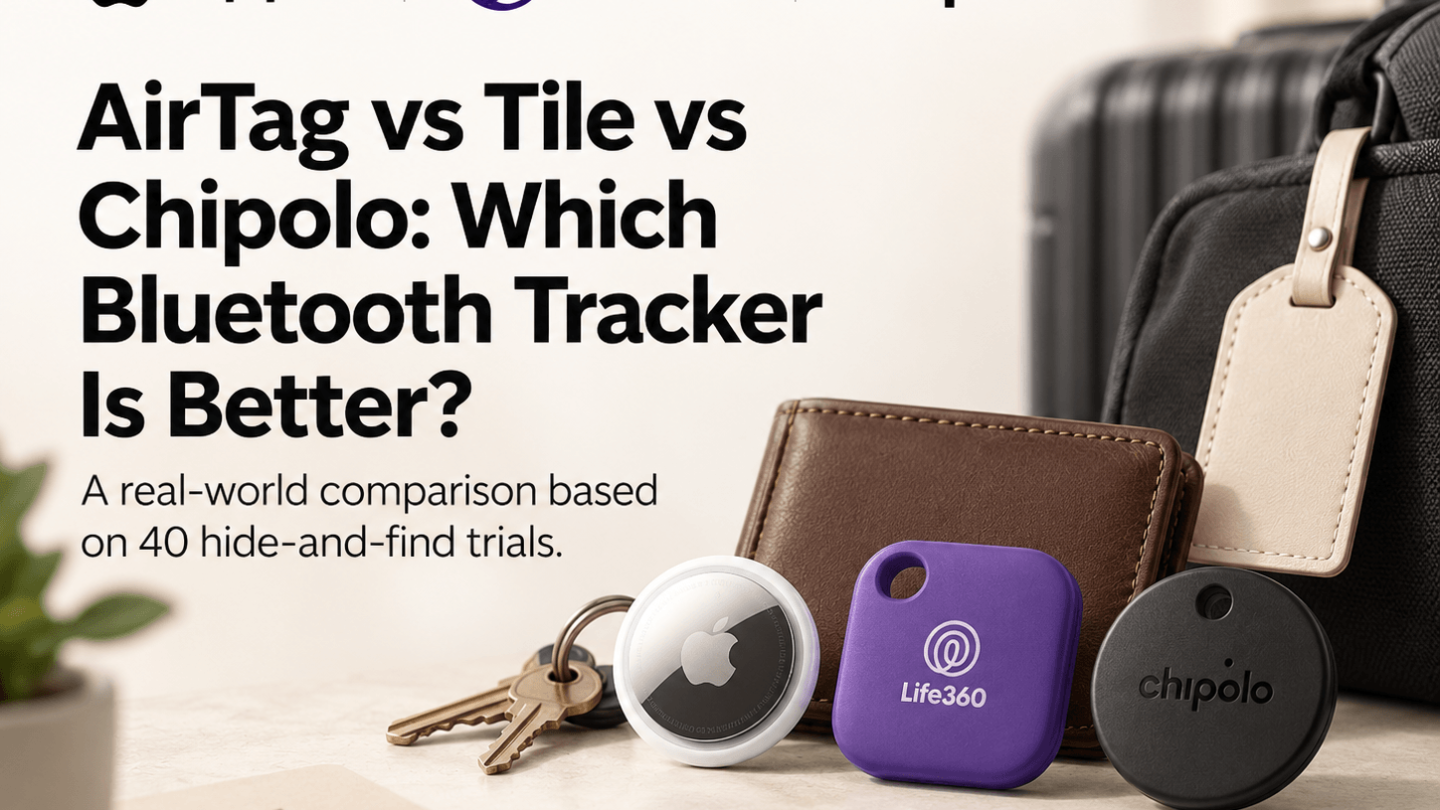
Bluetooth trackers went from a niche gadget to something people buy in packs of four. Keys, wallet, bag, luggage, the remote that lives in the couch.
Three names dominate the category. Apple’s AirTag, Tile, and Chipolo. They look similar, cost similar amounts, and promise the same outcome. In practice they solve the problem three different ways, and the right one depends almost entirely on the phone in your pocket.
We ran forty hide and find trials with all three across a house, a car, and a city block. Same hiding spots, same phones, same conditions. Here is how they compare.
Quick Comparison
| Feature | Apple AirTag | Tile | Chipolo |
| Indoor find method | Precision direction finding | Ring and follow sound | Ring and follow sound |
| Indoor success rate | 14 of 14 | 12 of 14 | 12 of 14 |
| Alert volume | Quietest | Loudest | Loud |
| Network coverage | Very large | Moderate | Very large on matched model |
| Android support | Very limited | Full | Yes, separate model |
| Keyring hole | No, needs a holder | Built in | Built in |
| Battery | Replaceable coin cell | Replaceable coin cell | Replaceable coin cell |
Finding Something Inside the House
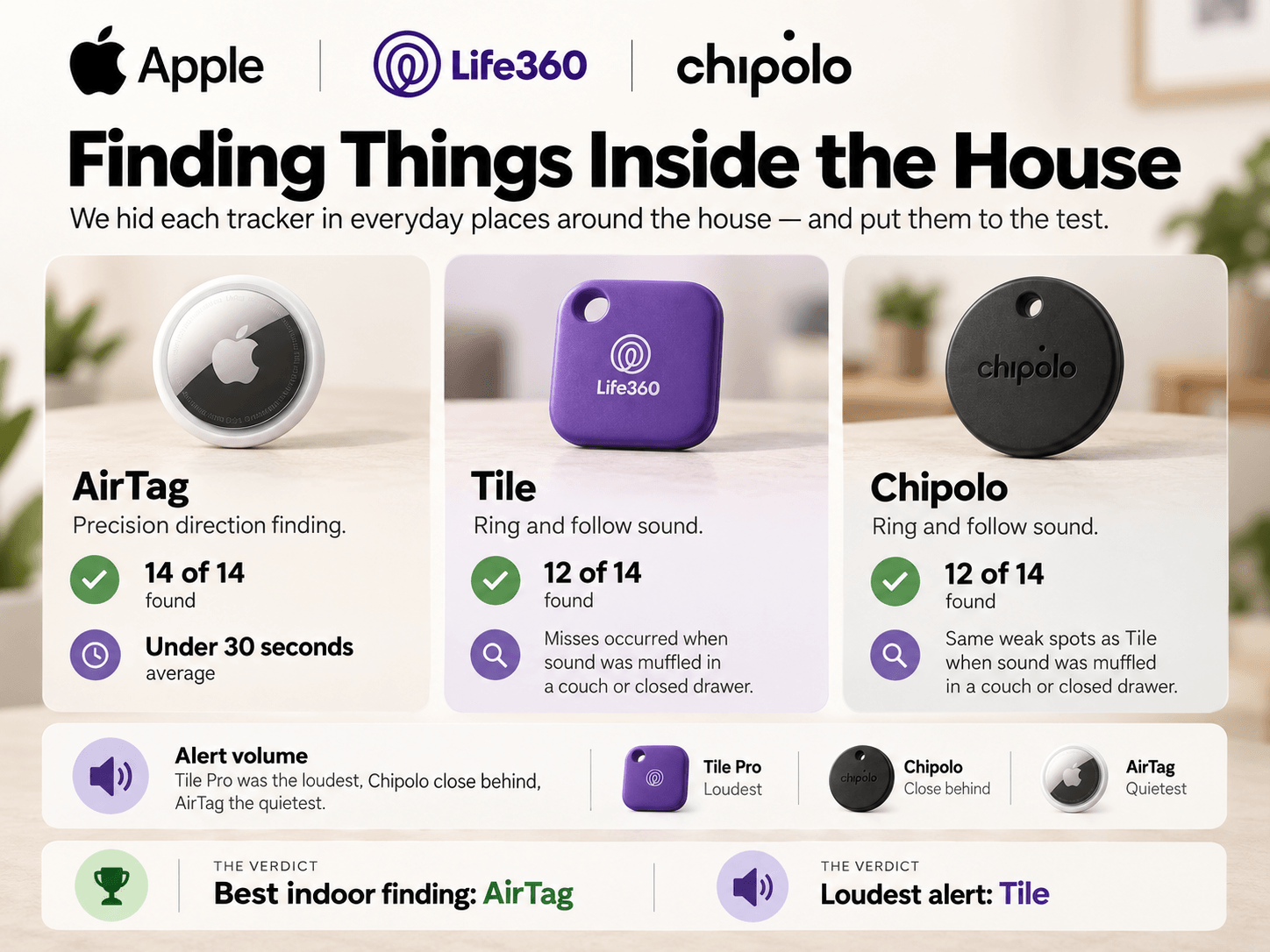
The AirTag found everything, fourteen out of fourteen, averaging under thirty seconds per find.
The reason is precision finding. On a compatible iPhone the app shows an arrow and a live distance in feet that updates as you walk. You do not search, you follow directions.
Tile and Chipolo both rely on ringing the tracker and following the sound. Both managed twelve out of fourteen. The two misses were identical on each. One item buried in a couch, one inside a closed drawer under clothing, where the sound was muffled enough that we walked past both twice.
Winner: Apple AirTag
Direction finding is a real functional advantage indoors, not a marketing feature.
Alert Volume
The result reverses completely here.
Tile Pro was the loudest of the three by a clear margin and found items fastest in tight spaces like under a car seat, where direction arrows add very little anyway.
Chipolo was close behind on volume and perfectly usable.
The AirTag was the quietest of the three and the hardest to hear through upholstery, a cushion, or a closed bag.
If you are on Android and cannot use precision finding, volume is your only real tool, which makes this category far more important than it first looks.
Winner: Tile
Loudest of the three, with Chipolo a close second and AirTag last.
Out in the World
Once an item leaves your home, the network matters more than the hardware, because you are not there to ring anything.
We left each tracker in a public location, walked away, and watched how quickly the location refreshed.
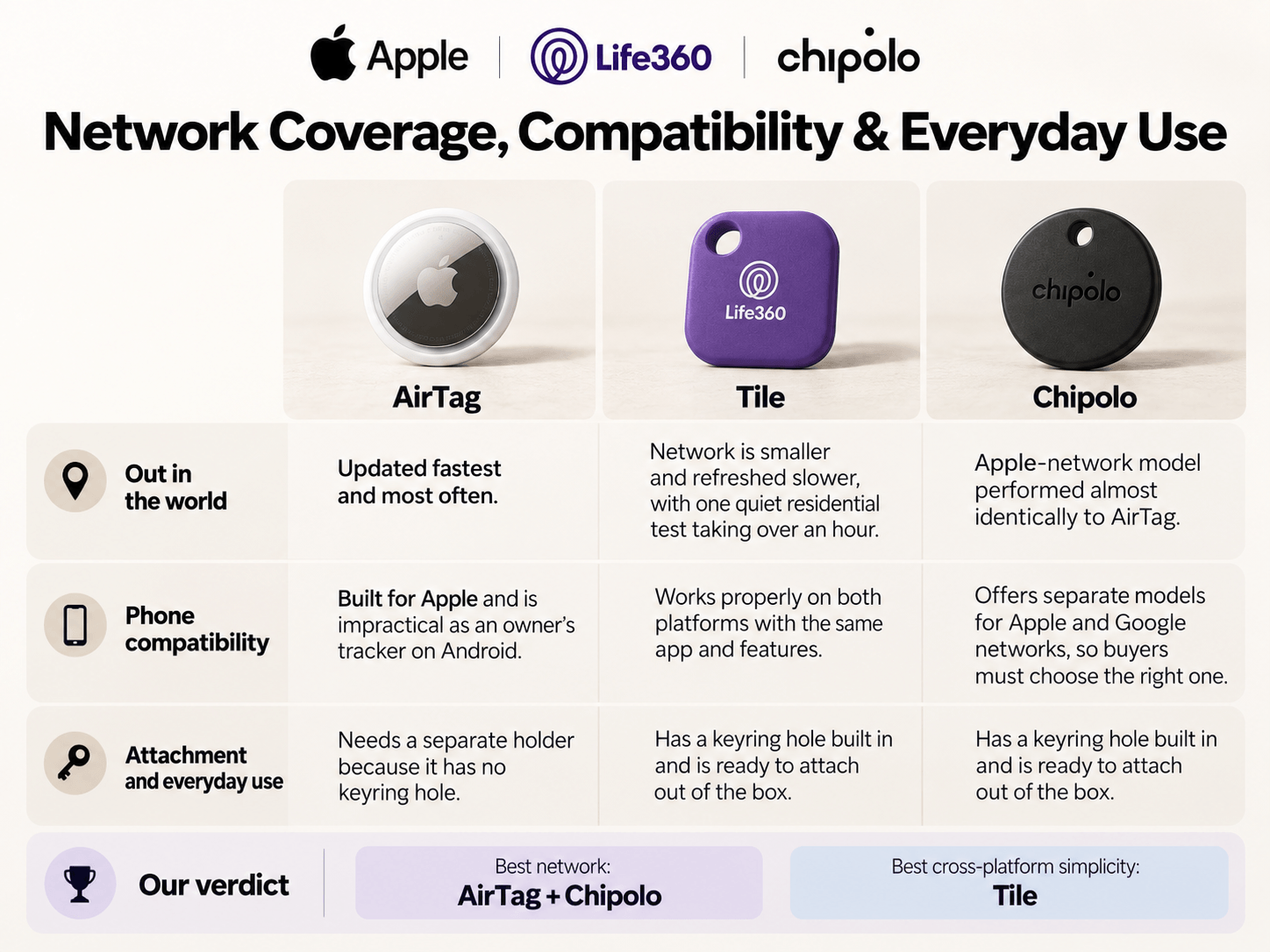
The AirTag updated fastest and most often. Its network is enormous, since every nearby iPhone contributes anonymously. In a busy area, the location refreshed within a couple of minutes repeatedly.
Chipolo’s Apple network model performed almost identically, because it uses the same network.
Tile runs its own network, which is smaller. Updates did come, but slower, and in one quieter residential test the location did not refresh for over an hour.
Winner: AirTag and Chipolo
Same network, same fast updates. Tile trails on coverage.
Phone Compatibility
This single category decides the whole thing for most people.
The AirTag is built for Apple. On an Android phone you can detect that one is near you, but you cannot use it as your own tracker in any practical way.
Tile works properly on both platforms with the same app and the same features. One product, no thinking required, works for everyone in the house.
Chipolo splits the difference by selling separate models, one for the Apple network and one for the Google network. You have to buy the right one, which is an extra step, but it means both platforms get a properly supported option with strong network coverage.
Winner: Tile
Simplest cross platform answer, with Chipolo a strong second if you buy the correct model.
Attachment and Everyday Use
The AirTag is a smooth disc with no hole in it. Attaching it to keys or a bag requires a case or holder, sold separately, and the good ones are not cheap.
Tile and Chipolo both have a keyring hole built in and go straight onto keys out of the package.
Winner: Tile and Chipolo
No accessory purchase, no extra cost, ready out of the box.
Battery and Longevity
All three use a user replaceable coin cell, which is the correct design. A tracker with a sealed battery is a disposable product.
All three claim roughly a year and all three were still running at the end of our testing window, so we cannot confirm a full year from this period alone.
Replacement cells are cheap and available anywhere for all three.
Winner: Tie
Same battery type, same replacement cost, same expected life.
Privacy and Unwanted Tracking
All three now participate in cross platform unwanted tracking alerts, meaning a phone will warn its owner if an unknown tracker appears to be traveling with them.
We tested this by carrying a tracker registered to another account, and all three triggered alerts on both an iPhone and an Android phone within a reasonable window.
Worth knowing before buying any of them, because it means these devices cannot be used covertly the way earlier versions could.
Winner: Tie
All three handle this properly now.
Which One Should You Choose?
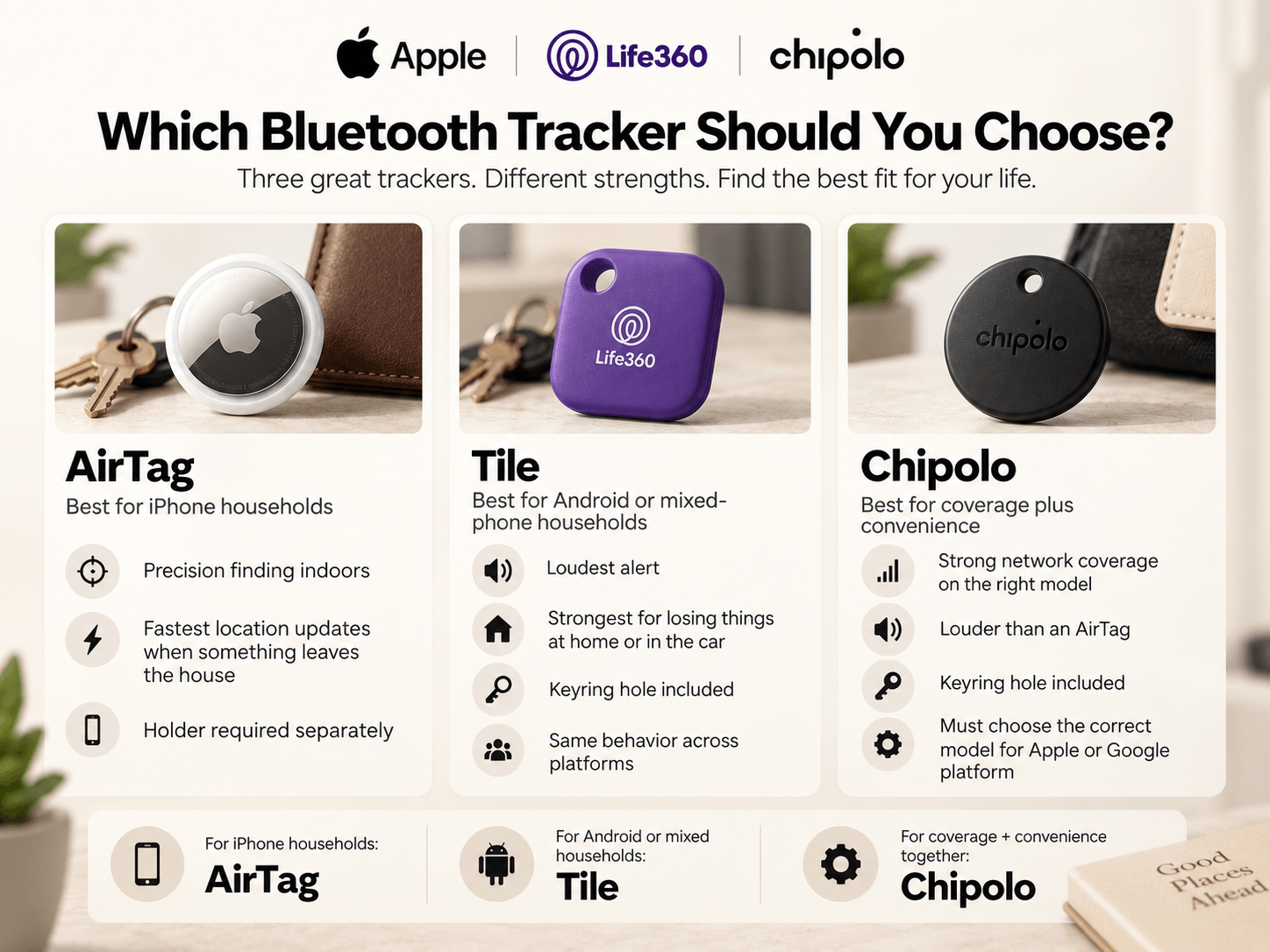
Choose the Apple AirTag if:
- Everyone in your household uses an iPhone.
- You want precision direction finding indoors.
- You want the fastest location updates when something leaves the house.
- You track luggage, bags, or anything that travels.
- You do not mind buying a holder separately.
Choose Tile if:
- You use Android, or your household mixes both platforms.
- You want the loudest alert for finding things by ear.
- You mostly lose things inside your own home or car.
- You want a keyring hole built in with no accessory.
- You want one product that behaves identically on every phone.
Choose Chipolo if:
- You want AirTag level network coverage with a keyring hole included.
- You are on Android and want the Google network version.
- You want a middle option on price.
- You are comfortable checking which platform specific model to buy.
- You want good volume and good coverage in the same device.
Final Verdict
All three trackers earn their place, and the honest answer depends on your phone more than on any feature list.
On an iPhone, the AirTag is the strongest tracker available. Precision finding cut our indoor search times dramatically and its network coverage outdoors was the fastest of anything we tested. The tradeoffs are the quiet alert and the holder you have to buy separately.
On Android or in a mixed household, Tile is the practical pick. Loudest of the three, keyring hole included, and identical behaviour for everyone in the house.
Chipolo is the quiet compromise and a genuinely good one. It matches AirTag network coverage on the right model, rings louder than an AirTag, and includes the keyring hole Apple leaves out.
For iPhone households, AirTag is the better all around tracker. For Android and mixed households, Tile is the one that simply works. For anyone who wants coverage and convenience together, Chipolo is the smart middle choice.